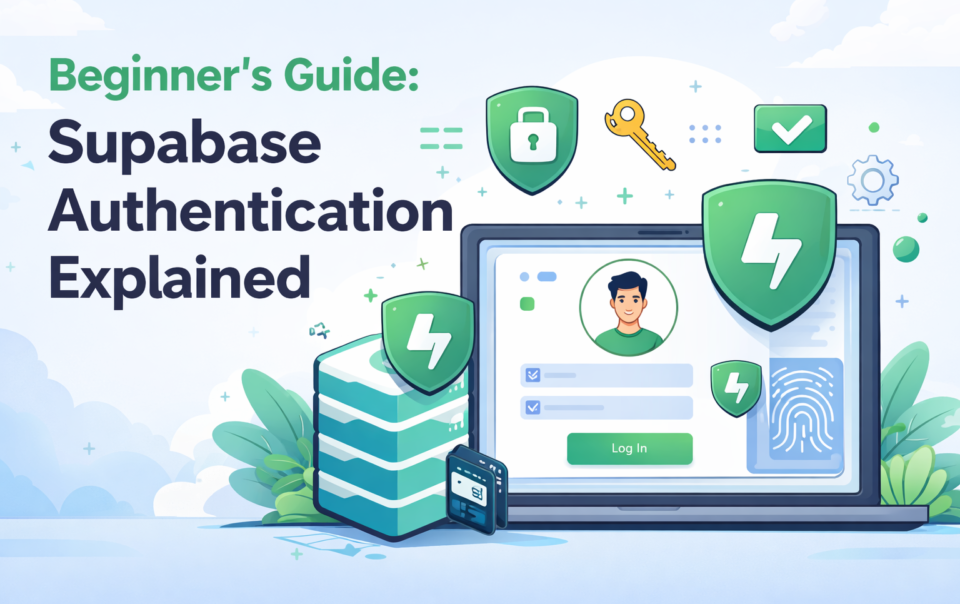
Supabase authentication is a secure, scalable system that allows you to manage user login, signup, and access control using email, OAuth, and JWT-based authentication. In simple terms, it replaces complex backend authentication logic with a ready-to-use solution that integrates directly with your database and enforces security at the data level.
For developers, startups, and businesses, Supabase authentication is one of the fastest ways to build secure applications without spending weeks on backend infrastructure.
For developers, startups, and businesses, Supabase authentication is one of the fastest ways to build secure applications without spending weeks on backend infrastructure.
What is Supabase Authentication?
Supabase authentication is a managed authentication and user management system that allows applications to securely identify users and control access to resources. It is built on top of PostgreSQL and integrates directly with your database, making it more powerful than traditional authentication systems.Unlike custom-built authentication systems, Supabase removes the need to manually handle password encryption, session management, and token generation.
Instead, it provides a structured system where authentication and database security work together seamlessly.
Key capabilities of Supabase authentication:
- Secure user registration and login
- Built-in session management
- JWT-based authentication for APIs
- Direct integration with PostgreSQL
- Fine-grained access control using policies
This makes it ideal for businesses implementing scalable solutions like Supabase authentication setup in Dallas, where performance, compliance, and security must align.
How Does Supabase Authentication Work?
Supabase authentication works by combining identity verification with token-based authorization and database-level access control. When a user logs in, Supabase validates their credentials and generates a JWT (JSON Web Token), which acts as a secure identity token.This token is then used to authorize requests across your application. What makes Supabase unique is that authentication is not isolated; it is deeply connected with database security through Row Level Security (RLS).
Authentication workflow:
- User submits a login or signup request
- Supabase validates credentials
- JWT token is generated
- Token is attached to requests
- Database checks RLS policies before returning data
This ensures that users only access the data they are permitted to see, making it highly reliable for applications that require strong Supabase database security.
What Authentication Methods Does Supabase Support?
Supabase offers multiple authentication methods to support different user experiences and application types. This flexibility allows developers to design authentication systems that balance security and usability.Instead of forcing a single login method, Supabase supports both traditional and modern authentication flows.
Supported authentication methods include:
- Email and password authentication
- Magic link (passwordless login)
- Social login (Google, GitHub, Facebook)
- Phone authentication using OTP
- JWT-based authentication for secure APIs
From a business perspective, offering multiple login options improves user onboarding and reduces drop-off rates.
How Do You Set Up Supabase Authentication Step By Step?

Setting up Supabase authentication is straightforward, but optimizing it for production requires careful implementation. A basic setup can be completed in minutes, but secure deployment requires proper configuration.
You begin by creating a Supabase project and enabling authentication providers. After that, you integrate authentication into your frontend application using Supabase SDKs.
The most critical step is configuring database-level security using RLS policies.
Step-by-step setup process:
You begin by creating a Supabase project and enabling authentication providers. After that, you integrate authentication into your frontend application using Supabase SDKs.
The most critical step is configuring database-level security using RLS policies.
Step-by-step setup process:
- Create a Supabase project
- Enable authentication providers (email, OAuth, etc.)
- Integrate Supabase SDK into your frontend
- Implement signup and login flows
- Enable Row Level Security (RLS)
- Define access control policies
Many developers skip RLS configuration, which creates major security risks. Following a structured Supabase backend tutorial ensures your implementation is production-ready.
Supabase Authentication Vs Firebase: Which Is Better?
When comparing Supabase authentication with Firebase authentication, the main difference lies in control, scalability, and database structure.Supabase is built on PostgreSQL, which allows structured queries and better data relationships. Firebase uses a NoSQL database, which is easier to start with but can become complex as applications grow.
Key differences between Supabase and Firebase:
- Supabase is open-source; Firebase is proprietary
- Supabase uses SQL; Firebase uses NoSQL
- Supabase offers better data control
- Firebase is faster for quick MVPs
- Supabase provides deeper backend customization
For long-term projects that require scalability and control, Supabase is often the preferred choice. Understanding Supabase vs Firebase helps businesses avoid costly architectural changes later.
What Are The Best Practices For Supabase Authentication?
To maximize performance and security, Supabase authentication should be implemented with a structured approach. Simply enabling authentication is not enough; proper configuration determines how secure and scalable your system will be.Security, performance, and user experience must be balanced carefully.
Best practices to follow:
- Enable Row Level Security (RLS) on all tables
- Use environment variables for API keys
- Set proper JWT expiration policies
- Restrict access to sensitive endpoints
- Avoid exposing service role keys
- Implement social login for better UX
- Optimize authentication flows for performance
Following these practices ensures your authentication system remains secure as your application scales.
Where Is Supabase Authentication Used In Real-World Projects?

Supabase authentication is widely used in modern applications where user identity and access control are essential. Its flexibility makes it suitable for both small projects and enterprise-level systems.
It is particularly useful for businesses building scalable digital platforms.
Common real-world use cases:
It is particularly useful for businesses building scalable digital platforms.
Common real-world use cases:
- SaaS applications with user dashboards
- E-commerce platforms with customer accounts
- Mobile apps with social authentication
- Admin panels and secure client portals
When combined with a structured backend and proper implementation strategy, Supabase becomes a complete solution for application development.
Frequently Asked Questions
What is Supabase authentication in simple terms?
Supabase authentication is a system that allows apps to securely manage user login, signup, and access without building custom authentication logic.
Is Supabase authentication secure for production?
Yes, when combined with Row Level Security (RLS) and proper configuration, it provides enterprise-level security.
How does Supabase authentication use JWT?
Supabase generates JWT tokens after login, which are used to securely authorize user actions and API requests.
Can Supabase replace Firebase authentication?
Yes, Supabase is a strong alternative, especially for projects requiring SQL databases and more control.
Do I need a backend for Supabase authentication?
No, Supabase handles most backend authentication logic, reducing development complexity.
Final Thoughts
Supabase authentication is a powerful solution for modern application development, offering a balance between simplicity and advanced control. It eliminates the need for complex backend systems while ensuring high levels of security and scalability.For businesses and developers, the real value lies in implementing authentication as part of a complete backend strategy rather than treating it as an isolated feature.
When done correctly, it not only secures your application but also improves performance, user experience, and long-term scalability.
Build Secure Apps with Supabase Authentication Experts
Struggling to implement Supabase authentication the right way? At Ginilytics, we help businesses design and deploy secure, scalable authentication systems tailored for real-world applications. Whether you’re starting fresh or optimizing an existing setup, our team ensures your backend is built for performance, security, and growth.Get expert guidance on Supabase authentication, backend architecture, and database security, so you can focus on scaling your product with confidence.

by SEO Ginilytics